Pasting into AI feels unwatched, and that's the risk
Pasting a financial statement into an AI chat feels private, alone at your own computer. Here's what I learned about where that data goes, and the tools a lot of us don't think of as AI at all.
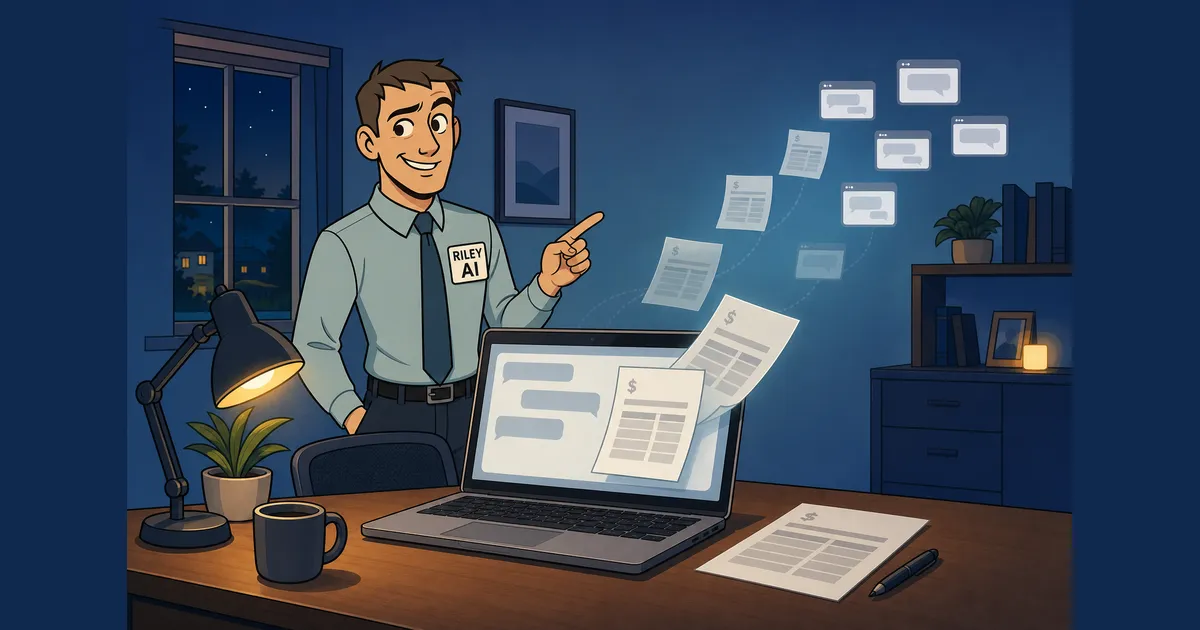
Someone pasting a financial statement into an AI chat isn’t being careless. They’re at home, on their own computer, with nobody looking over their shoulder. It feels unwatched. That feeling is the risk.
I attended AI Power Hours: AI, your data and your IP, hosted by Momentum Product Co., and got home wanting to share what I’d learned. Talking it over with my better half, she told me about something she sees in the investment world: clients who paste their financial statements into AI, not realizing where their personal information is going. Her work is trying to educate people on exactly this, and she mentioned some of the findings from tests they’ve done, with people’s financial details coming up in chat results.
What seems like an innocent, private action can have concerning outcomes. And there are 2 layers to it. The first is the training toggle, which a lot of people have heard about (and it’s still surprising how many haven’t). The second is all the other tools we use every day that we don’t think of as AI, or don’t stop long enough to realize are.
A setting is not a contract
Start with the plan you’re on. On personal plans (Claude Free, Pro, and Max, ChatGPT Free and Plus), there’s no data processing agreement, or DPA. Claude’s consumer plans have trained on chats by default since August 2025 unless you opt out. Opted in, Anthropic keeps that data for up to 5 years. Opted out, 30 days.
If you’re on a personal plan, turning training off is worth doing today. It’s also worth knowing what that toggle is. It’s a product setting. It stops training. The vendor can change its terms, and retention, safety review, and audit rights are untouched.
A DPA is a contract. The vendor processes your data only on your instructions, with rules on retention, deletion, subprocessors, breach notice, and audit.
Business plans (Claude Team, ChatGPT Business) don’t train on your data by default, and a DPA is available. How you get it varies by vendor. Anthropic’s DPA is built into its commercial terms, so accepting them means you have one. OpenAI’s is incorporated by its Business Terms when personal data is processed, and it will also execute a signed copy. No extra cost either way.
Take a look at the pricing and you’ll likely find the difference is small. A personal plan runs around $20 a month. A business plan runs around $20 to $25 a person, usually with a 2-seat minimum. For the difference between a setting and a contract protecting your clients’ data and your IP, that’s not much.
Here in Canada, there’s a reason this matters beyond GDPR. Under PIPEDA, a business stays accountable for personal information it hands to a third party for processing, and has to protect it through contracts or other means. A toggle isn’t a contract. For dental and healthcare readers in Ontario, PHIPA adds its own obligations on health data too.
The tools that don’t feel like AI
When we think about AI and our data, we think about Claude, ChatGPT, and Gemini. The list is longer: HubSpot AI, Gmail and Workspace AI, Slack AI, meeting note-takers, and every browser extension or app someone on the team downloaded on their own.
Customer data gets into these in everyday ways. Call transcripts, meeting notes, emails, and “real examples” pasted into a chat all carry customer information. Real use cases come with customer info inside. That’s more often the norm, not the exception.
Larger clients are starting to ask about it too. These are the questions enterprise buyers now ask on security reviews, from the session slides:
- Which AI tools touch our data?
- Do those vendors train on it?
- How long is it kept, and where?
- Are they on your subprocessor list, with a signed DPA?
- Who on your team can use AI with our data?
- Can your AI agents reach production or our data?
If you’re a small business selling to larger clients, you’ll get these questions. Having the answers ready is a sales asset.
Keeping client data safe through a build
For me, this comes down to working with a client’s data and making sure their IP stays safe throughout the process, through testing and through a build. I’ve handled confidential client content for many years. Confidentiality isn’t new. AI adds new places for the data to leak.
The session laid out 3 tiers for working with real data, and they map well to how a project unfolds:
- Exploring ideas: redact first.
- Testing with real data: redact first, or run a local model so nothing leaves the machine.
- Customer data inside a product you sell: a Team or Enterprise plan with a signed DPA, and the vendor on your subprocessor list.
For the redaction step, Microsoft Presidio is a free, open-source tool that detects and replaces personal information like names, emails, and phone numbers in text, images, and structured data. The pattern: a script runs Presidio, produces a stripped copy, and keeps a mapping table so customer identities stay separate from the content. You still get the insight and the sentiment. Presidio’s own docs say automated detection will miss things, so it’s a layer, not a guarantee. A human spot check stays in the loop.
Agents raise the stakes again. An agent is not an employee. If it breaks something, your company is liable, not the AI vendor. In Moffatt v. Air Canada (BC Civil Resolution Tribunal, February 2024), Air Canada argued its chatbot was a separate entity responsible for its own answers. The tribunal rejected that and held the airline liable for the bad advice.
The permission rules from the session are simple to say:
- Read: only what the job needs, read-only where possible.
- Write: drafts and a sandbox, never straight to the real thing.
- Run: its own isolated space, never against production.
- Human signs off: anything that sends, deletes, pays, or publishes.
Where to start
If any of this was of interest, here’s where I’d start:
- Check which plan each person in your business is on. Personal plans plus customer data is the gap.
- If you’re on a personal plan, turn off training today, then plan a move to a business plan.
- List every tool with AI in it, including the ones nobody approved.
- Redact before you paste real customer examples.
- Give agents the least access that does the job, and a human approval step for anything that sends, deletes, pays, or publishes.
- Prepare answers to the 6 security review questions before a client asks.
Plans, prices, and policies here are as of October 21, 2026, and this isn’t legal advice. For the specifics of your business, check with your own counsel.
Thank you to Momentum Product Co. for a very useful evening.
Which tool in your business did you not think of as AI until now?